Selected-website blocking mode
The Internet remains available. ChainBreaker cuts off only the domains you enter—permanently, on a schedule or after a time limit.
ChainBreaker automates shutdown and sleep, display settings, time limits, and access to the Internet and websites. Rules stay on your computer and guard your boundaries in the background.

These captures come from the real desktop application and change with your selected language.

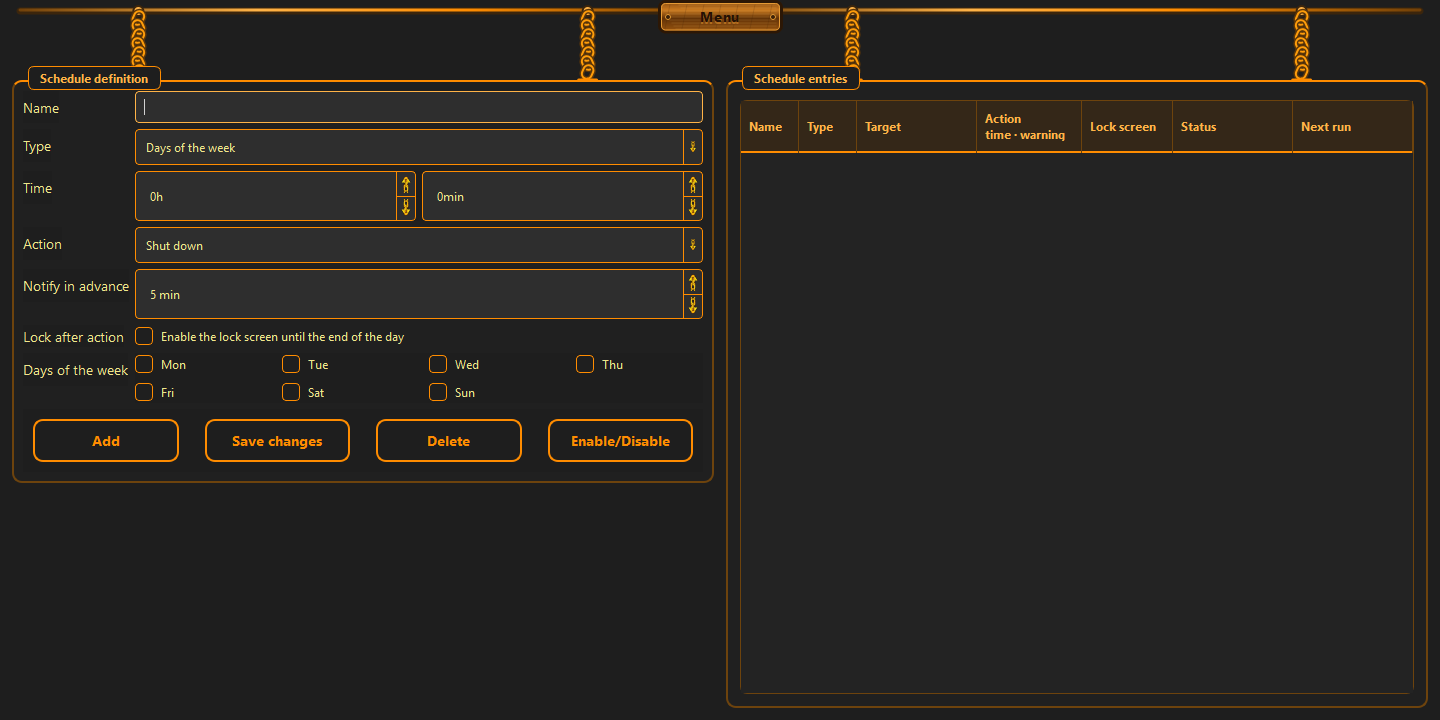
Time, weekdays, action and advance notification.
From this version, ChainBreaker can do more than remind you about a boundary. It can restrict the Internet, stop selected websites and guard time spent on the computer, in a browser or on a specific domain—according to rules you choose yourself.
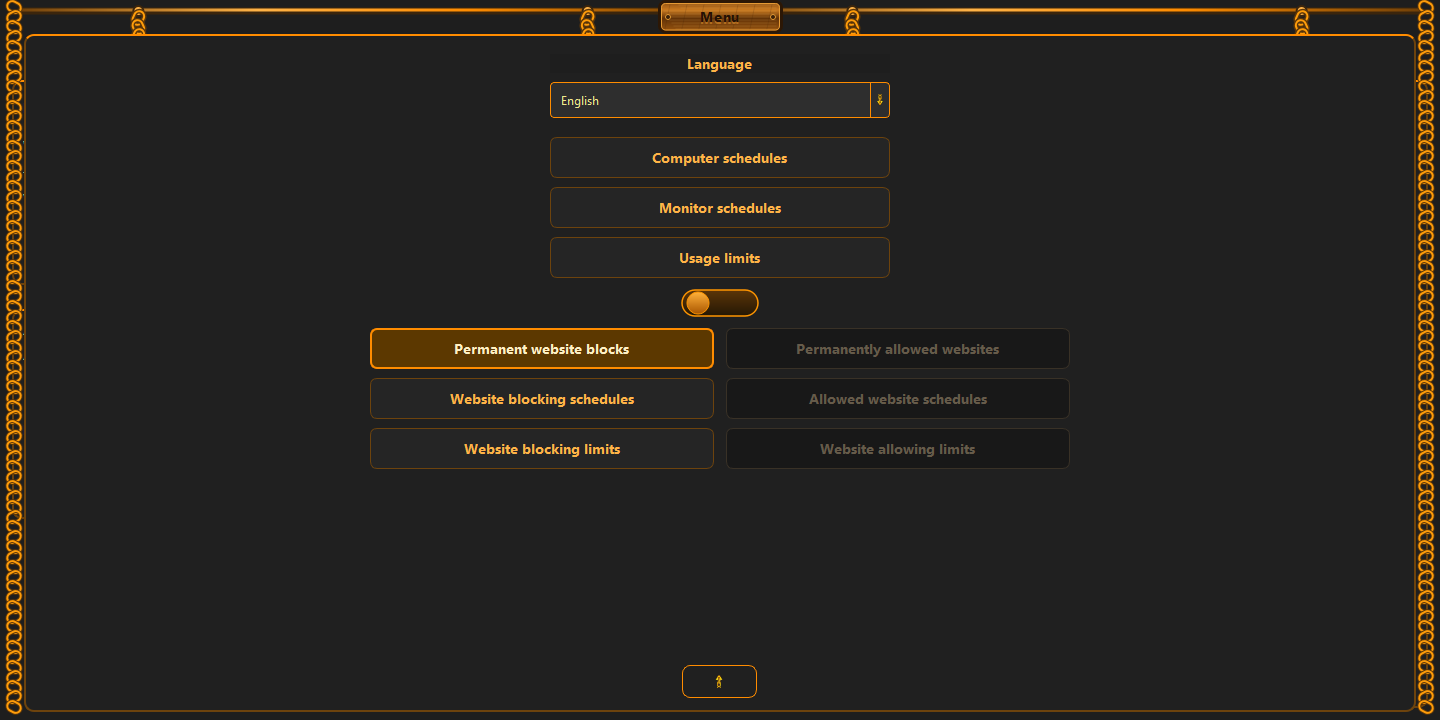
The menu switch changes all three paired views: permanent rules, schedules and limits. Only one side of the switch is active at a time.
The Internet remains available. ChainBreaker cuts off only the domains you enter—permanently, on a schedule or after a time limit.
Internet access is restricted while entered domains remain reachable. Schedules and limits can temporarily add the exceptions you need.

The left side of the switch enables permanent blocks, blocking schedules and website-blocking limits.
Schedule restriction and restoration just like shutdown or sleep. A weaker rule cannot undo a boundary owned by a higher-priority rule.
In the menu, choose between permanently blocked and permanently allowed websites. The related schedule and time-limit views change with the switch.
A limit can use whole-computer time, active-browser time, a specific domain or the most restrictive of those counters. Overlapping time is never counted twice.
ChainBreaker can restrict the Internet, change display settings, sleep or shut down the computer, with a configurable warning beforehand.
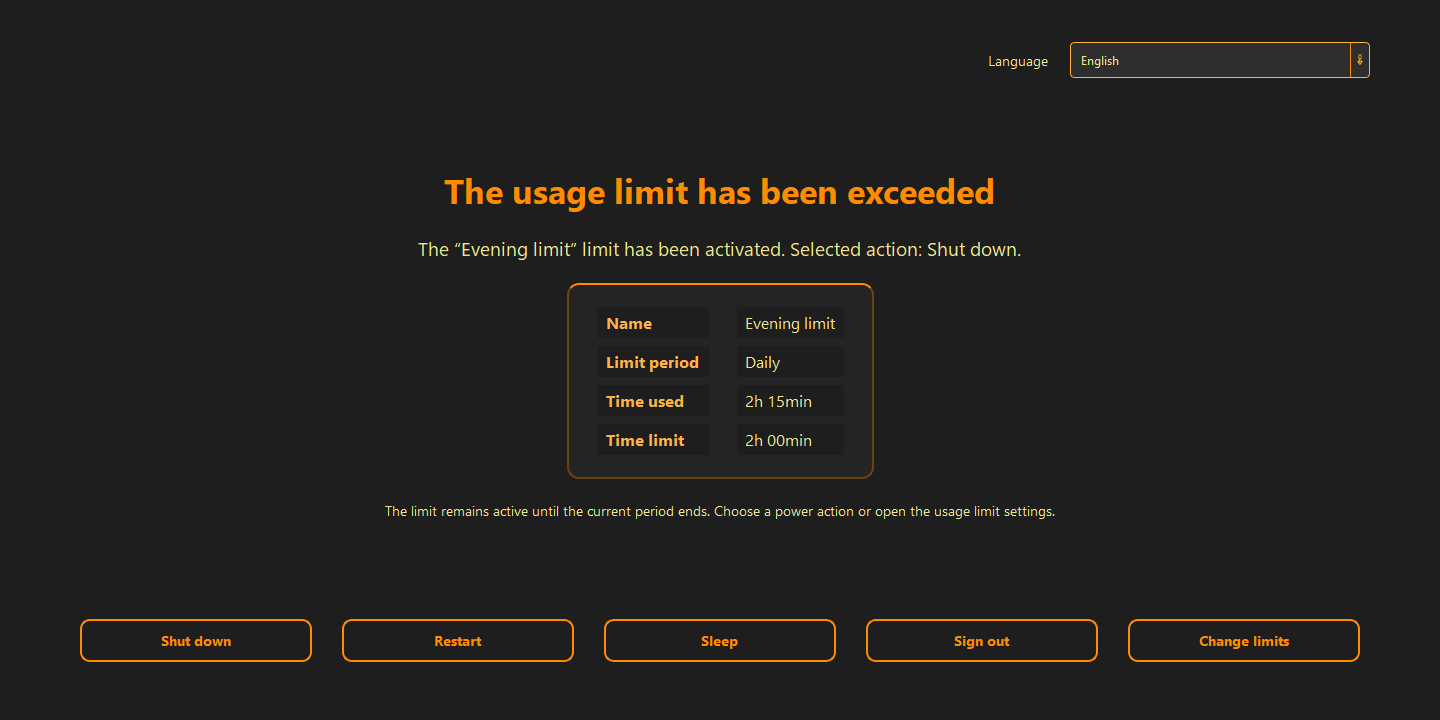
If a shutdown or sleep limit was already exceeded when a later session starts, the app avoids repeating the action in a loop. It shows a decision screen, and raising the limit needs extra confirmation.
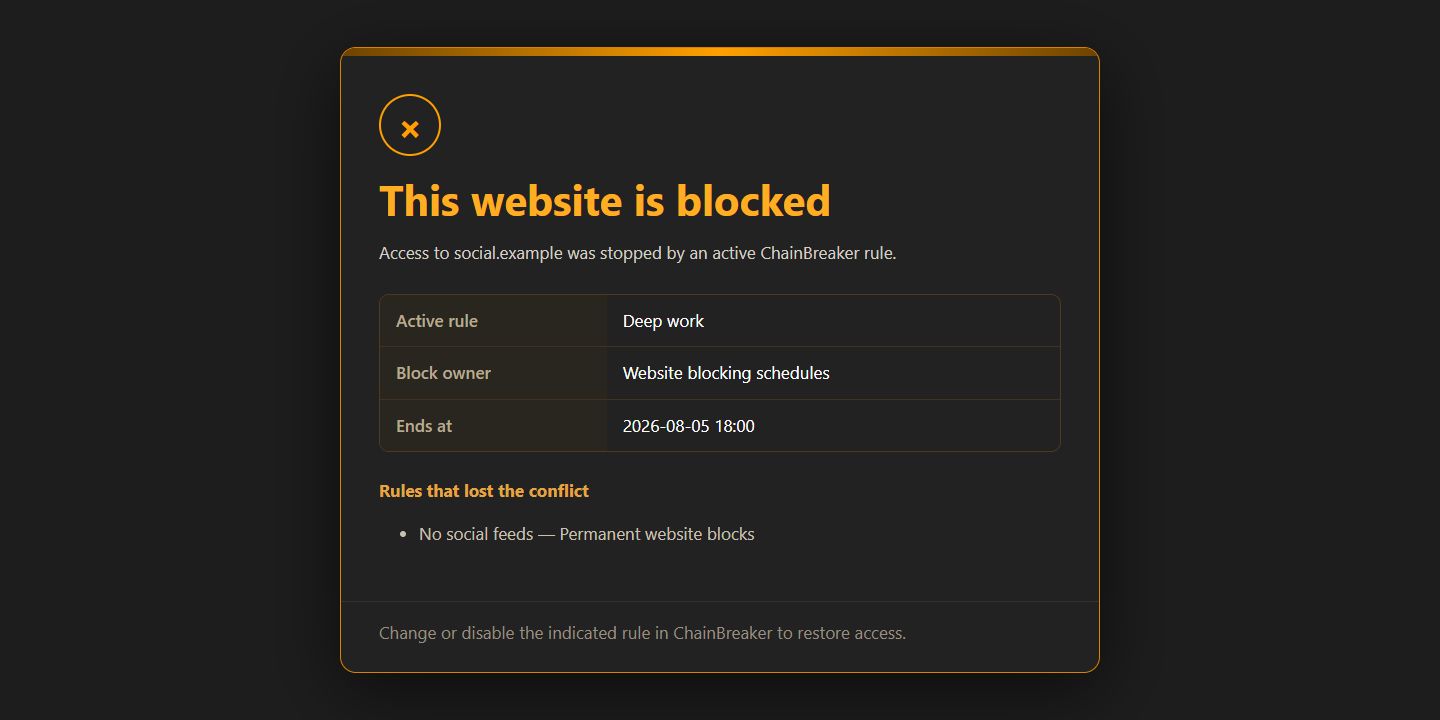
The “Why is this blocked?” panel shows the winning rule, its source, end time and the lower priorities considered in the decision.
ChainBreaker can now count active computer time and automatically change the monitor image after a boundary you set has been reached.
Set separate boundaries that reset every day, on Monday or at the beginning of a new month.
Keyboard and mouse inactivity longer than five minutes is not added to the counter.
Grayscale, lower brightness or a stronger hardware blue light filter can be enabled automatically.
When several active limits control the same setting, ChainBreaker chooses the most restrictive one. An active limit also takes priority over a regular monitor schedule.
This is the real scope of the application after the update introduced on 23 July 2026—from schedules to local website-access rules.
Shut down or sleep the computer, restrict the Internet and restore access on selected days, times or a one-time date.
Change brightness, grayscale and blue light filtering automatically.
Daily, weekly and monthly boundaries based on active computer or browser time. After a limit, the app can change the display, restrict the Internet, sleep or shut down the computer.
Block selected domains while normal Internet access remains available, or restrict the Internet and leave only the websites you need. Both modes include permanent rules, schedules and time limits.
The local network guard and background process maintain active rules after the window is closed and after Windows restarts.
Schedules are kept in a local SQLite database. Your data remains yours alone—the app never shares it with anyone.
The blue light filter reduces the screen’s blue component, warms the image and helps reduce eye strain during evening computer use.
Grayscale puts less strain on the dopamine reward system: it reduces the appeal of colorful stimuli and discourages empty, isolated consumption. It becomes easier to step away from the screen and experience the real world more fully.
A calmer screen can help you end the session, do something else, go to bed earlier and give yourself a chance at longer, fuller sleep.
Choose an area, define a boundary and enable the rule. ChainBreaker stores it locally, resolves priorities and guards it in the background.
Computer, display, usage time, Internet access or individual websites.
Choose the time, days, time limit, domain and the action that should follow.
The active rule is handled in the background.
We have a limited amount of free will that renews each day. Let us preserve it by automating the need to fight ourselves every day. Let us give ourselves the chance to spend it on what comes next.
01
Freedom is, in truth, the choice of our own bonds — the ones that leave us the strength and time to live as we genuinely want.
02
Time is a currency that is forever running out. There is no way to earn more of it. So do not let it be taken from you unnoticed. Let us make sure you spend this resource on exactly what you want. As consciously as you want.
03
“An app built to restore control should not take control of your data.”
Microsoft Store displays the price and terms appropriate for your region.
Yes. Schedules and settings are stored locally and rule execution does not require a permanent connection.
The app shows a notification with the rule name, scheduled time and a countdown.
Yes. Closing the window can hide it in the tray while schedules remain active.
It counts active computer time. Keyboard and mouse inactivity longer than five minutes is not added to the counter. The result stays in the local SQLite database.
No. For website limits it locally reads only the active domain name from the address bar of a supported browser. It does not store history, page content, URL paths, queries or window titles.
The website rules view shows the winning rule, its source, end time and the lower-priority rules that did not change the result.
In blocking mode, the Internet remains available and selected domains are cut off. In permanently allowed mode, Internet access is restricted and selected domains become exceptions that keep working. The switch also changes the corresponding schedules and limits.
The current desktop application supports Windows 10 and Windows 11.
Get the regional version of ChainBreaker directly from Microsoft Store.
Get it from Microsoft Store